How to Make a Coloring Book With ChatGPT (and Sell It on Amazon)
Oct 16, 2026 · Rey Midas · Specs from OpenAI and KDP help pages
Yes, you can make a coloring book with ChatGPT and sell it on Amazon KDP. ChatGPT draws the pages one prompt at a time. KDP accepts AI-generated images as long as you disclose them when you publish. ChatGPT stops at the drawings: the resolution fix, the print-ready PDF, the blank backs and the 24-page minimum are still yours to do. This guide walks through all six steps, with the prompt to copy.
Or type a theme and draw a free sample page here
One click draws a real line-art page in about 15 seconds. Change the theme or style if you like. Free, no signup.
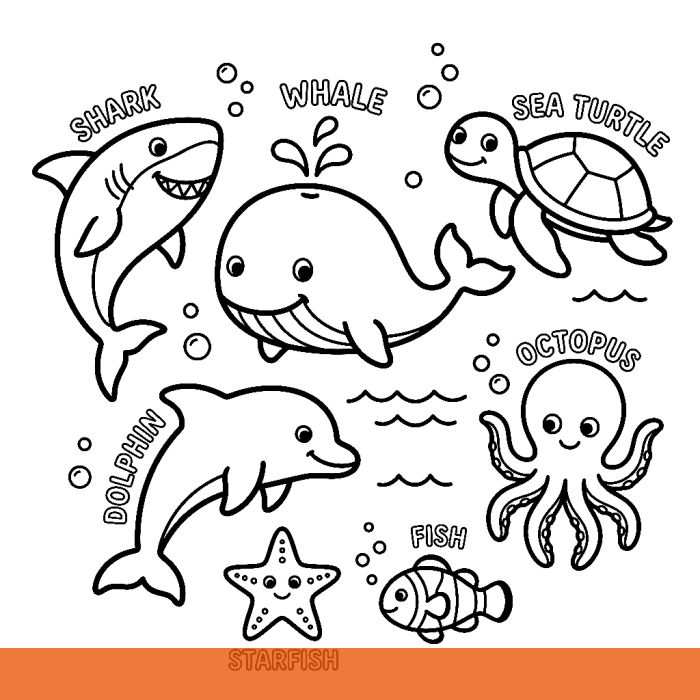
Know what you want already? Make the full book (10–30 pages + cover, $9.99) →
1. Plan the book before you draw
Pick one theme and one audience: “ocean animals for ages 4–8”, not “animals”. The audience decides the line weight: thick outlines and big shapes for young kids, fine detail for adults. Then let ChatGPT write the scene list, so no two pages repeat:
Give me 30 different coloring page scenes for a coloring book about [THEME] for [AUDIENCE]. One line each. Every scene should have one clear main subject and a simple background. No two scenes alike.Keep the list. You will paste one line into the drawing prompt per page.
2. Draw each page with one fixed prompt
Use the same prompt for every page and change only the scene. A fixed prompt is what keeps the book looking like one book:
A black and white coloring book page of [SCENE]. Clean, bold black outlines on a pure white background. No shading, no gray, no color, no fill. No border or frame, no text. Centered, with white margins. Portrait page.Add the audience line that fits, for example “Thick outlines, large simple shapes, easy for ages 4–8” or “Fine, intricate linework for adults.” Ask for one page per message. Asking for four pages in one image gives you four small pictures you can’t print full size.
3. Check every page before you keep it
Image models drift toward shading and texture. Reject and redraw any page with:
- Gray shading or filled black areas. Buyers want shapes to color, not a finished drawing.
- Text, letters or a signature. Image models still garble text.
- A border or frame. It prints crooked when the page is trimmed.
- Broken outlines. Gaps in a line make a shape you can’t fill cleanly.
- Tiny closed areas in a kids’ book: if a crayon can’t fit, it’s too detailed.
- Characters or logos you don’t own. A recognizable cartoon character can get the book blocked.
4. Fix the resolution (the step most people miss)
KDP asks for images of at least 300 DPI. An 8.5 × 11″ page at 300 DPI is 2550 × 3300 pixels. The standard portrait size in OpenAI’s image guide is 1024 × 1536 pixels: stretched to fill an 11-inch page it prints at about 140 DPI and can look soft or jagged. Check your own file’s pixel size before you lay anything out.
| Image size | Printed full height | Largest size at 300 DPI |
|---|---|---|
| 1024 × 1536 (portrait) | ~140 DPI on an 11″ page | 3.4 × 5.1″ |
| 1024 × 1024 (square) | ~120 DPI on an 8.5″ square | 3.4 × 3.4″ |
| Needed for 8.5 × 11″ | 300 DPI | 2550 × 3300 px |
Two ways out: upscale every page about 2–3× with an image upscaler (line art upscales well because it is only black edges on white), or place the drawing smaller with a wide white margin. Most coloring pages leave a wide margin anyway, so nothing important sits near the trim.
5. Assemble the interior PDF
KDP wants one PDF for the inside of the book and a separate file for the cover. For the interior:
- Page size = trim size: 8.5 × 11″ for most coloring books, 8.5 × 8.5″ for square adult books. Keep the drawings inside the margins and you don’t need bleed.
- One design per sheet, blank back. Markers bleed through paper, so every drawing gets an empty page behind it.
- At least 24 pages, KDP’s paperback minimum. With a title page and blank backs, 11 designs makes exactly 24 pages.
- An even page count and a title page (“This book belongs to:” is a classic).
Canva, Google Docs or any layout app can export this; it’s slow but free. Black-ink books of 24–110 pages cost the same to print at a given trim, so 50 designs with blank backs costs no more to print than 11 (royalty table).
6. Make the cover, publish and disclose AI
- Cover: the cover file is one wide image: back, spine and front, plus bleed. Its size depends on page count and paper. Get the exact pixels from the free KDP cover calculator.
- Disclose AI: KDP requires you to tell it about AI-generated text, images or translations when you publish. Images drawn by ChatGPT are AI-generated, so answer yes. Only AI-assisted work (you made it, AI helped edit) is exempt.
- Plan your releases: KDP now allows up to 2 new titles per book format each week, so a batch of 10 books takes 5 weeks to publish.
- Price at $9.99 or more. KDP pays 60% minus printing from $9.99 and 50% below it: on an 8.5 × 11″ book that is $3.15 a sale at $9.99 and $2.15 at $9.98.
For niches, keywords and categories, read the full guide: How to sell AI coloring books on Amazon KDP.
ChatGPT vs a coloring-book generator
ChatGPT is a fine way to make a book if you have the time. Here is what each part takes, side by side with the Coloring Book Machine, the generator on this site:
| Step | ChatGPT | Coloring Book Machine |
|---|---|---|
| Scenes | You ask for a list, paste one per page | One theme; every page a new scene |
| Drawing | One prompt per page, you check each | 10–30 line-art pages in one run; you still look them over |
| Print resolution | Often 1024–1536 px; you upscale and place | Drawn at 1024 px, upscaled to 2048 and placed 6.8″ wide (~300 DPI), done for you |
| Blank backs, 24-page minimum | You lay out the PDF | Built in; interior PDF ready for KDP |
| Cover | Another prompt, then you size it | Front-cover art included; you size the full wrap |
| Cost | Your plan + your time | $9.99 per book, one-time |
Type one theme. The Coloring Book Machine draws 10 to 30 line-art pages, adds a title page and blank backs, and gives you an 8.5 × 11″ or 8.5 × 8.5″ interior PDF for KDP, plus front-cover art. $9.99 per book, no subscription. Try a free sample page first.
Make my coloring book →Questions
Can you make a coloring book with ChatGPT?
Yes. ChatGPT can draw coloring pages one at a time from a text prompt, and it can write the list of scenes for the whole book. It does not assemble a print-ready book: you still put the pages into a PDF at your trim size, add blank backs, and reach KDP’s 24-page minimum yourself.
Is it legit to sell a ChatGPT coloring book on Amazon?
Yes. Amazon KDP accepts books with AI-generated images. When you publish, KDP asks whether you used AI, and you must tell it that the images are AI-generated. Books must still meet KDP’s content and quality guidelines, and you should not copy characters or brands you don’t own.
Are ChatGPT images high enough resolution for KDP?
Usually not at full-page size. KDP asks for images of at least 300 DPI. The standard portrait size in OpenAI’s image guide is 1024 × 1536 pixels, which is about 140 DPI stretched to an 11-inch page. Either upscale each page (to about 2550 × 3300 pixels for 8.5 × 11) or place it smaller: 1536 pixels fills 5.1 inches at 300 DPI.
Can you use Claude to make coloring books?
Not the pages themselves. Anthropic’s help center says Claude doesn’t generate illustrations the way image tools do (it can draw simple SVG diagrams). It is good at the plan: the theme, the list of scenes and the prompts. Use Claude for the plan and an image generator (ChatGPT, Copilot, Gemini or a coloring-book tool) for the pages.
Can Copilot make images for an AI coloring book?
Yes. Microsoft Copilot draws images from a prompt, and the same steps apply: one prompt per page, check every page for gray shading and broken lines, upscale for print, then assemble the PDF.
How many pages does a KDP coloring book need?
KDP’s paperback minimum is 24 pages. Coloring books usually print one design per sheet with a blank back, so 11 designs plus a title page is already 24 pages and 50 designs is about 100–104 pages. For an 8.5 × 11 black-ink book, 24 to 110 pages all cost the same to print.
How much does it cost to make a coloring book with ChatGPT?
The ChatGPT part can be free or included in your plan, but ChatGPT limits how many images you can make, and the free plan has the tightest limit. KDP charges nothing to publish; it takes the printing cost out of each sale. The real cost is your time: one prompt, check and fix per page, then the layout.