Best AI Coloring Book Generators for KDP (2026), Compared by What One Sellable Book Costs
Oct 16, 2026 · Rey Midas · Every price read on the vendor’s own pricing page that day
Short answer: for one book at a time, the cheapest option we found with no subscription that clearly lets you sell on KDP is a $9.99 one-time book. For several books a month, a subscription is cheaper per page. Before you compare prices, check the license: several of the cheapest plans are personal use only, so a book made on them can’t legally go on Amazon.
Disclosure: the Coloring Book Machine is our product. We list where other tools beat it, and we left out anything we could not read on the vendor’s own page.
The comparison
“One sellable book” is the least you pay to make one coloring book you are allowed to sell. For a subscription, that is the first month of the cheapest plan with selling rights.
| Tool | One sellable book | Selling allowed | KDP interior PDF | Best for |
|---|---|---|---|---|
| Coloring Book Machine (this site) | $9.99, one time | Yes | Yes: 8.5 × 11 or 8.5 × 8.5, title page, blank backs, 24+ pages, no bleed | One book at a time, no subscription |
| BookCoversLab | $9.90 (Starter, 1 month: 50 pages, 2 interior PDFs), if its plans allow selling | Not stated on its page | Yes: 4 trims incl. 8 × 10 and 6 × 9, bleed on or off, 4–120 pages | Most trim and bleed options |
| ColorBliss | $24.75 (Artist, 1 month) | Artist and Business plans only | Multi-page 300 DPI PDF; KDP trim and bleed not stated | Editing single pages |
| ColoringBook.ai | $27.99 (Professional, 1 month) | Professional and Business only | Book builder; cheaper plans cap books at 10 pages | High monthly volume |
| ColorPageAI | $18 (Studio, 1 month) | Studio plan only; the $19 one-time book is personal use | Print-ready PDF; trim and bleed not stated | Photo-to-coloring-page books |
| Inkfluence | $19.99 (Premium, 1 month: 50 images) | Yes, every plan | Yes: 8.5 × 8.5 or 8.5 × 11, plus a wrap cover with spine | Cover with spine included |
Prices in USD, monthly billing, as listed Oct 16, 2026. Vendors change prices; the link on each name goes to the page we read. Book Bolt is a KDP research and design suite; its site did not load for us, so it is not in the table.
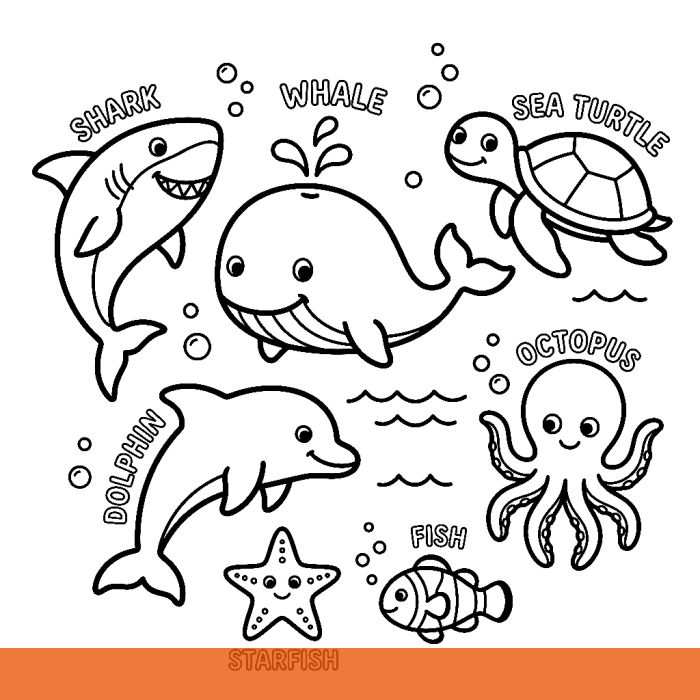
Judge the line art yourself: draw a free sample page
One click draws a real line-art page in about 15 seconds. Change the theme or style if you like. Free, no signup.
Know what you want already? Make the full book (10–30 pages + cover, $9.99) →
The license trap
This matters more than the price. These plans come up as cheap options, but their own pricing pages say they don’t cover selling:
- ColorBliss Starter ($7/mo) and Hobby ($12.42/mo): “for personal use.” Commercial use starts with Artist at $24.75/mo. The one-time credit packs ($25, $45, $80) don’t say either way.
- ColoringBook.ai Starter ($6.99/mo) and Hobby ($13.99/mo): personal use, and books are capped at 10 pages, under KDP’s 24-page minimum unless you pad it. Commercial use starts at $27.99/mo.
- ColorPageAI’s $19 one-time book: “Pay once, personal use.” Selling needs Studio at $18/mo.
- BookCoversLab: its KDP page doesn’t state selling rights at all. The tool is clearly built for KDP, but read its terms before you publish.
KDP itself accepts AI-generated coloring books. You must disclose AI-generated images when you publish, and the rights to the art have to be yours to sell.
Which one to pick
- You want one book, or you’re testing a niche: a one-time book. $9.99 for the Coloring Book Machine, no account to cancel afterwards.
- You publish several books every month: a subscription. BookCoversLab Growth is $29.90 for 10 interior PDFs (about $3 a book). Per page, subscriptions run about $0.03 to $0.16.
- You need 6 × 9, 8 × 10 or full bleed: BookCoversLab. The Coloring Book Machine only does 8.5 × 11 and 8.5 × 8.5 with no bleed.
- You want a full wrap cover with the spine done: Inkfluence. Our tool gives front-cover art; you size the full wrap with the free KDP cover calculator.
- You want to fine-tune single pages: ColorBliss lets you edit parts of a page, though some of its Trustpilot reviews say edits change parts they didn’t ask for.
What to check in any generator
| KDP needs | Why | Coloring Book Machine |
|---|---|---|
| Selling rights | Personal-use art can’t go on Amazon | Included, every book |
| 24+ pages, even count | KDP paperback minimum | 10–30 drawings, padded to an even 24+ |
| Blank backs | Markers bleed through paper | Built in |
| 300 DPI at print size | KDP’s print previewer warns on low-resolution images | Drawn at 1024 px, upscaled to 2048, placed 6.8″ wide (~300 DPI) |
| Trim size | Must match the paperback setup | 8.5 × 11 or 8.5 × 8.5, no bleed |
| Pure black-and-white line art | Gray shading prints muddy | Prompted for it; look the pages over (free redraws for pages that failed to draw) |
| Cover | Separate file: back, spine, front | Front-cover art; full wrap via KDP Cover Creator |
Type one theme. The Coloring Book Machine draws 10 to 30 line-art pages, adds a title page and blank backs, and gives you a KDP interior PDF plus front-cover art. $9.99 per book, commercial use included, no subscription.
Make my coloring book →Questions
What is the best AI coloring book generator for KDP?
It depends on how many books you make. For one book at a time, the cheapest no-subscription option we found that clearly allows selling is a $9.99 one-time book (Coloring Book Machine). For several books a month, a subscription costs less per page: BookCoversLab Growth is $29.90 a month for 10 interior PDFs. For trims other than 8.5 × 11 and 8.5 × 8.5, or for bleed, BookCoversLab has the most options. Check the license first: several cheap plans are personal use only.
Can I sell coloring books made with ColorBliss on Amazon?
Only on its Artist ($24.75/month) and Business ($83.08/month) plans. ColorBliss’s pricing page says Starter and Hobby are for personal use, and it does not say whether the one-time credit packs include commercial rights.
Is there an AI coloring book generator without a subscription?
Yes. The Coloring Book Machine is $9.99 per finished book, paid once, with commercial use. ColorPageAI sells a $19 one-time book, but its own page calls that personal use; selling needs its $18/month Studio plan. ColorBliss sells one-time credit packs from $25, with the license on packs not stated.
Do I need bleed for a KDP coloring book interior?
No, as long as nothing prints to the edge. Coloring pages normally sit inside white margins, so you choose “no bleed” when you set up the paperback. You need bleed only if artwork runs off the page edge.
What resolution does KDP need for coloring pages?
KDP asks for 300 DPI. A 1024-pixel image is only about 120 DPI across an 8.5-inch page, so either upscale it or place it smaller. The Coloring Book Machine draws at 1024 pixels, upscales to 2048 and places each drawing 6.8 inches wide, about 300 DPI.
How many pages does a KDP coloring book need?
At least 24. With one design per sheet and a blank back, 11 designs plus a title page make 24 pages. For an 8.5 × 11 black-ink book, every page count from 24 to 110 costs the same to print.