Can You Make a Coloring Book With Gemini, Claude or Perplexity?
Oct 18, 2026 · Rey Midas · Rules from Google, Anthropic, Perplexity and KDP help pages
Gemini, yes. Claude, only the plan. Perplexity, not for a book you sell unless you pay for its Enterprise plan. Each assistant has one catch that decides whether its pages can go into a book on Amazon KDP: Gemini’s app images carry a visible watermark and are too small to fill a printed page; Claude doesn’t draw illustrations the way image tools do; Perplexity’s consumer plans allow its images for personal use only. Here is what each one can do, and the steps every tool still leaves to you.
| Draws the pages? | Can you sell them? | The catch | |
|---|---|---|---|
| Gemini | Yes (Nano Banana models) | Google doesn’t claim ownership of what you make. Disclose AI on KDP. | Visible watermark; 1K or 2K images, depending on plan |
| Claude | No; diagrams and simple SVG shapes from code | Anthropic assigns you its rights, if any, in what it writes | You need an image tool for the pages |
| Perplexity | Yes (GPT Image 1, Nano Banana, Seedream 4.5) | Not on Free, Pro or Max: personal, non-commercial use only | Commercial use needs Enterprise Pro or Max |
From each company’s help center and terms, read Oct 18, 2026. Plans and limits change; check before you publish.
Or type a theme and draw a free sample page here
One click draws a real line-art page in about 15 seconds. Change the theme or style if you like. Free, no signup.
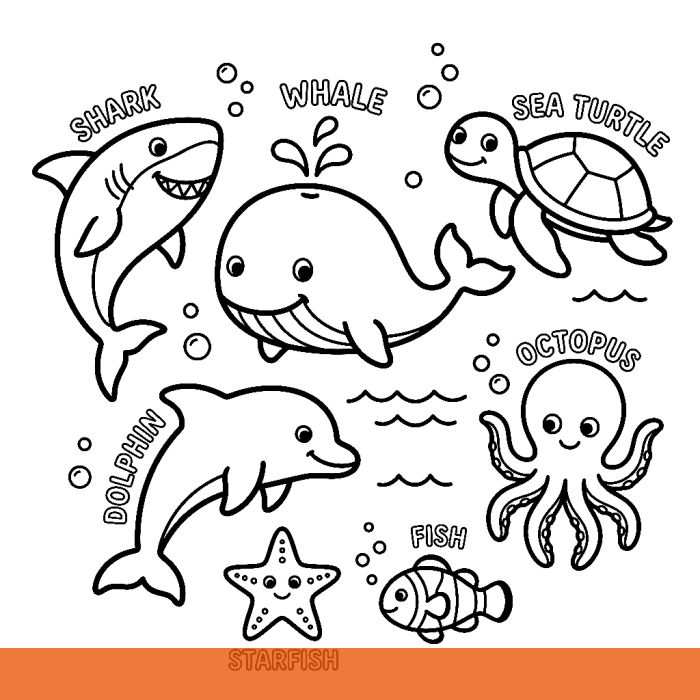
Know what you want already? Make the full book (10–30 pages + cover, $9.99) →
1. Gemini: it draws the pages, with two catches
The Gemini app draws images with Google’s Nano Banana models; Nano Banana Pro needs a Google AI plan. Ask for one page per message and keep the prompt the same every time, changing only the scene. A fixed prompt is what makes 30 pages look like one book:
Draw a black and white coloring book page of [SCENE]. Clean, bold black outlines on a pure white background. No shading, no gray, no color, no fill. No border or frame, no text. Centered, with white margins. Square image.Add the audience: “Thick outlines, large simple shapes, easy for ages 4–8” or “Fine, intricate linework for adults.” Then check two things on every download.
The watermark. Google says images made in the Gemini app carry a visible watermark as well as an invisible SynthID mark. Google adds both on purpose to show the image is AI-made, so don’t edit them out. Know before you start that a page from the app will print with the mark on it.
The size. Google’s help page says the app makes images at 1K without an AI plan and 2K with one (its overview page says 2K, so check your own file’s pixels). KDP asks for at least 300 DPI:
| Image | Widest at 300 DPI | Stretched to an 8.5″ wide page |
|---|---|---|
| 1K (~1,024 px) | 3.4″ | ~120 DPI: soft, jagged lines |
| 2K (~2,048 px) | 6.8″ | ~240 DPI |
| Full 8.5 × 11″ page needs | 2550 × 3300 px | — |
A 2K square page placed 6.8 inches wide on an 8.5 × 11″ sheet prints at 300 DPI with a wide white margin, which is how most coloring pages look anyway. A 1K page needs an upscaler first; line art upscales well because it is only black edges on white.
Google doesn’t publish a number of images per day. Its limits page says usage refreshes every five hours up to a weekly cap, so a 30-page book can take more than one sitting on the free plan.
2. Claude: it plans the book, it doesn’t draw it
Anthropic’s help center is plain about it: Claude doesn’t generate photos or illustrations the way image-generation tools do. It builds diagrams, charts and interactive visuals from code. It can code simple SVG shapes, but they rarely look like a coloring page anyone would buy.
Where Claude earns its place is the writing around the drawings. Use it for the scene list, so no two pages repeat, and for the words Amazon shows buyers:
I am making a coloring book about [THEME] for [AUDIENCE] to sell on Amazon KDP. Write 30 different page scenes, one line each, each with one clear main subject and a simple background, no two alike. Then write a book title, a subtitle, and a 150-word Amazon description. No trademarked characters.Paste each scene into the Gemini prompt above, or into whatever image tool you use. Anthropic’s consumer terms assign you whatever rights it has in what Claude writes. Text Claude writes counts as AI-generated on KDP too, so disclose it along with the images.
3. Perplexity: it draws, but you can’t sell the pages
Perplexity generates images with GPT Image 1, Nano Banana or Seedream 4.5, and the pages can look fine. The problem is the license. Its help center says images made on the Free, Pro and Max plans are for personal, non-commercial use only; commercial use is limited to Enterprise Pro and Enterprise Max.
A coloring book on Amazon is commercial use. Fifty pages from a consumer Perplexity plan are fine for your own kids to color, not for a KDP listing. Use Perplexity to research niches and competing books, and draw the pages elsewhere.
4. The steps no assistant does for you
Whichever tool draws the pages, the book itself is still your job:
- Check every page. Reject gray shading, filled black areas, text, borders, broken outlines, and characters or logos you don’t own.
- Fix the resolution to 300 DPI at the size you place it (table above).
- Assemble the interior PDF at your trim size: one design per sheet with a blank back so markers don’t bleed through, an even page count, a title page, and at least 24 pages, KDP’s paperback minimum.
- Make the cover: back, spine and front in one image. Get the exact size from the free KDP cover calculator.
- Disclose AI. KDP counts text and images made by an AI tool as AI-generated, even after heavy editing, and requires you to say so when you publish. That holds for pages with no visible watermark too.
- Pace your releases. KDP allows up to 2 new titles per format each week.
- Price at $9.99 or more. An 8.5 × 11″ book pays $3.15 a sale at $9.99 and $2.15 at $9.98 (royalty table).
Niches, keywords and categories are in the full guide: How to sell AI coloring books on Amazon KDP. Using ChatGPT instead? The ChatGPT version of this guide.
The Gemini app vs a coloring-book generator
The Coloring Book Machine on this site draws its pages through Google’s Gemini API, the developer side of the same family of models. The pages it draws show no visible watermark; they are still AI-generated, so you disclose them on KDP. Here is what changes:
| Step | Gemini app | Coloring Book Machine |
|---|---|---|
| Drawing | One prompt per page, you check each | 10–30 line-art pages from one theme; you still look them over |
| Watermark | Visible mark on app images | No visible mark (still disclose AI on KDP) |
| Print resolution | 1K or 2K; you upscale and place | Drawn at 1024 px, upscaled to 2048 and placed 6.8″ wide (~300 DPI), done for you |
| Blank backs, 24-page minimum | You lay out the PDF | Built in; interior PDF ready for KDP |
| Cover | Another prompt, then you size it | Front-cover art included; you size the full wrap |
| Cost | Free or your Google AI plan, plus your time | $9.99 per book, one-time |
Type one theme. The Coloring Book Machine draws 10 to 30 line-art pages, adds a title page and blank backs, and gives you an 8.5 × 11″ or 8.5 × 8.5″ interior PDF for KDP, plus front-cover art. $9.99 per book, no subscription. Try a free sample page first.
Make my coloring book →Questions
Can you make a coloring book with Gemini?
Yes. The Gemini app draws images with Google’s Nano Banana models, so it can draw coloring pages one prompt at a time. It does not assemble a book: you check each page, fix the resolution, and lay out the PDF with blank backs and at least 24 pages yourself.
Can you use Claude to make coloring books?
Not the pages, in practice. Anthropic’s help center says Claude doesn’t generate photos or illustrations the way image-generation tools do; it builds diagrams and visuals from code, such as simple SVG shapes, which rarely look like a coloring page. Claude is useful for the plan: the scene list, the title, the Amazon description. Draw the pages with an image tool.
Can I sell a coloring book made with Perplexity images?
Not on a Free, Pro or Max plan. Perplexity’s help center says images generated on those plans are for personal, non-commercial use only; commercial use is limited to Enterprise Pro and Enterprise Max. A KDP book is commercial use.
Does Gemini put a watermark on images?
Yes. Google says images made in the Gemini app carry a visible watermark and an invisible SynthID watermark. Google adds them on purpose to mark the image as AI-made; don’t edit them out. If you don’t want a mark on a printed page, use a tool whose output has none, and disclose AI on KDP either way.
Are Gemini images high enough resolution for KDP?
Google’s help page says the Gemini app makes images at 1K without an AI plan and 2K with one. KDP asks for at least 300 DPI. A 1K image (about 1,024 pixels) is 3.4 inches wide at 300 DPI; a 2K image (about 2,048 pixels) is 6.8 inches. Check the pixel size of your own file.
Do I have to tell Amazon the pages were made with AI?
Yes. KDP calls images created by an AI tool “AI-generated” and requires you to disclose them when you publish, even if you edited them a lot afterward. Only AI-assisted work, which you made yourself and used AI to edit or refine, needs no disclosure.
How many pages does a KDP coloring book need?
At least 24 pages for a paperback. With one design per sheet and a blank back, 11 designs plus a title page make 24 pages, and 30 designs make about 62.
Related
- How to Make a Coloring Book With ChatGPT and Sell It on Amazon KDP
- How to Sell AI Coloring Books on Amazon KDP (rules, niches, steps)
- Best AI Coloring Book Generators for KDP, compared by price and license
- Can You Sell a Kids’ Coloring Book on Amazon? (age bands, Reading Age, rules)
- How Much Do KDP Coloring Books Make? Royalty per sale at every price
- Free KDP cover calculator (cover size, spine width, template)